Blog
LED poster lost its network or content: what to check
An LED poster that shows old content or lost the Wi-Fi is usually a content-loading question, not a broken screen. The poster stores its content and plays it on its own. This article lists simple checks in a safe order and what to send us if the problem stays. It gives general steps, not repair instructions.
- Stored content
- Wi-Fi · LAN · USB
- Safe steps
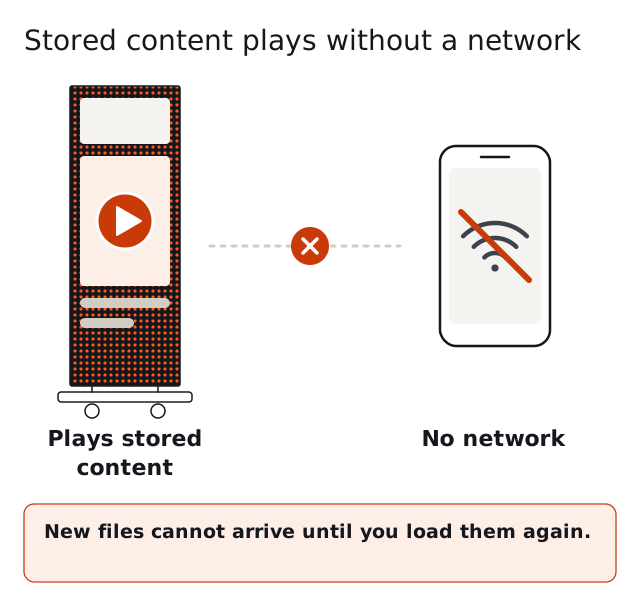
What a lost network does
The poster keeps playing the content already stored, so a network that drops does not stop the screen. What stops is the update: new files cannot arrive until you load them again. If the screen shows yesterday's content, the cause is usually the loading path.
Check the simple things first
Is the poster on, and is the power cord seated? Does the screen show a picture at all? Is the network the poster should use up, and is the phone or laptop in the same network? Is the file you loaded the right size for your poster? The content formats guide lists the native sizes.
Try another way to load
The poster loads over Wi-Fi from a phone or laptop, over LAN or from a USB stick. If one way fails, try another. A USB stick needs no network, so it is a quick test. 4G for remote updates is Optional.
Do not open the cabinet to look
Switch the poster off and disconnect the power before anything else. Opening the cabinet is for service, and the warranty is 2 years with repair at the factory. See support and warranty and the care guide for how a module is changed.
What to send us
Send the type and the pitch of the poster, your control system (NovaStar with Mean Well PSU by default; Huidu or Colorlight as a lower-cost option), a short description of what you see and a photo of the screen. For a wall, say which poster shows the problem. With this the quotation or the support answer can start from the facts.
Keep a known good file
Keep a copy of the working content and a USB stick with it. If the loading path breaks, you can restore the stored content without waiting.
Questions and answers
Does the poster need Wi-Fi to play?
No. The poster plays stored content on its own.
Why does the poster show old content?
The new files did not arrive. Check the loading path, the file size and try USB.
Can I reload content with a USB stick?
Yes. USB is one of the three loading ways, with Wi-Fi from a phone or laptop and LAN.
Is remote update included?
4G for remote updates is Optional.
Should I open the poster if the screen stays dark?
No. Switch off and disconnect the power first, and send us the details.
What are the warranty terms if the screen stays dark?
The warranty is 2 years with repair at the factory. The buyer pays freight and spare parts are sold separately.
Which photo helps most?
A photo of the whole screen and one of the label or the type, so we see what you see.
How do I avoid the problem?
Keep the artwork at native size and keep a working copy of the stored content.
Request a quote
Request a quote and tell us the type, the pixel pitch, the quantity, the destination country and your control system (NovaStar with Mean Well PSU by default; Huidu or Colorlight as a lower-cost option). Price, MOQ and lead time are quoted per order. Samples are available.