Blog
Checking an LED poster sample on arrival: 10 points
Samples are available, and the first one tells you a lot about the order. This list helps you check a sample in an hour, with a record you can compare with the quotation. It uses only checks you can do with your own eyes and a USB stick.
- 10 points
- Sample
- Packing list
1 to 3. The delivery
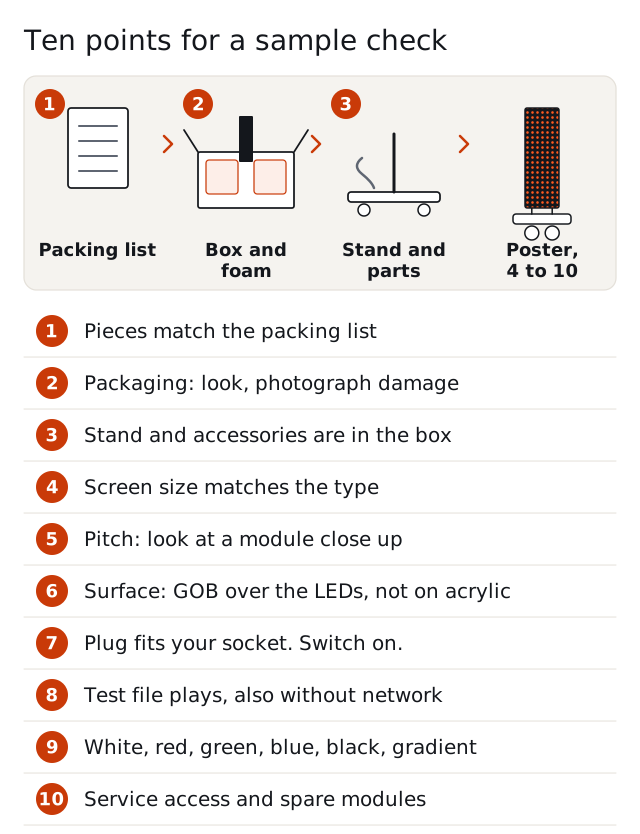
- Compare the pieces with the packing list, which states the weight and size of every piece. 2. Look at the packaging before you open it: a cardboard box with foam inserts is standard, a flight case or crate is Optional. Photograph any damage. 3. Check that the stand and the accessories on your quotation are in the box.
4 to 6. The poster itself
- Check the size of the screen against the type: 640, 960 or 1280 mm wide and 1920 mm high. 5. Check the pitch you ordered by looking at the module close up; the resolution guide lists the pixel counts. 6. Check the surface: indoor posters except the acrylic type have GOB over the LEDs.
7 to 8. Power and content
- Check that the plug fits your socket; see the plugs checklist. Switch the poster on. 8. Load a test file at the native pixel size through Wi-Fi, LAN or USB and play it. Pull the network cable or switch Wi-Fi off, and see that the stored content keeps playing.
9. The picture
- Show a plain white, red, green, blue and black screen and a gradient. Look for dead pixels, color differences between modules and uneven brightness. Stand at your viewing distance, not only close up. Take photos for the record.
10. Service and spares
- Try the service access: on a die-cast poster remove a module from the front with a suction cup; on a poster with rear service, check the 30 to 50 cm space and the rear cover. Switch off and disconnect power first. Keep the spare modules from the same purchase batch.
Write it down
Record the results, the serial information you can see and the photos. If something does not match the quotation, send the notes to us with the order number. The warranty is 2 years; see support and warranty.
Questions and answers
How long does a sample check take?
An hour is enough for the ten points if the content files are ready.
What file should I load first?
A test file at the native pixel size; see the content formats guide for the sizes.
What do I check on the modules?
Dead pixels, color differences between modules and uneven brightness on plain colors.
Can I open the poster during the check?
Open it only as the service steps describe, with the power off and disconnected.
What if the packaging arrives damaged?
Photograph it before you open it, and send the photos with the packing list.
Do I get spare modules with the sample?
Spare modules are sold separately; order them with the main batch.
Can I order a sample of the type I want?
Samples are available. State the type and the pitch in the request.
Where do I send the results?
With your order number in a reply to your quotation.
Request a quote
Request a quote and tell us the type, the pixel pitch, the quantity, the destination country and your control system (NovaStar with Mean Well PSU by default; Huidu or Colorlight as a lower-cost option). Price, MOQ and lead time are quoted per order. Samples are available.